Write and polish with AI
Let the AI turn an old advert into a listing, draft the words, translate them and tidy your photos.
5 steps
- 1Step 1
Start from an old advert#
On the wizard's first step, paste a description you already have. The AI fills in the type, price, rooms and features it finds and drafts a title and description — then names the fields it could not fill, for you to check.
- 2Step 2
Draft a title or description#
Press Generate with AI, or Improve with AI when there is already text. Add extra notes for what the form cannot say, such as "renovated kitchen" or "sea view". The result is only a suggestion: Accept, Regenerate or Reject it. The property type, sale or rent, and the city or country must be set first; price, area and rooms make it much better.
- 3Step 3
Both languages from one#
Every listing has an English and an Albanian version. Write in one with Auto-translate ticked and the other is filled in when you save. To edit one language on its own, untick it first — otherwise the next save replaces your changes.
- 4Step 4
Enhance a photo#
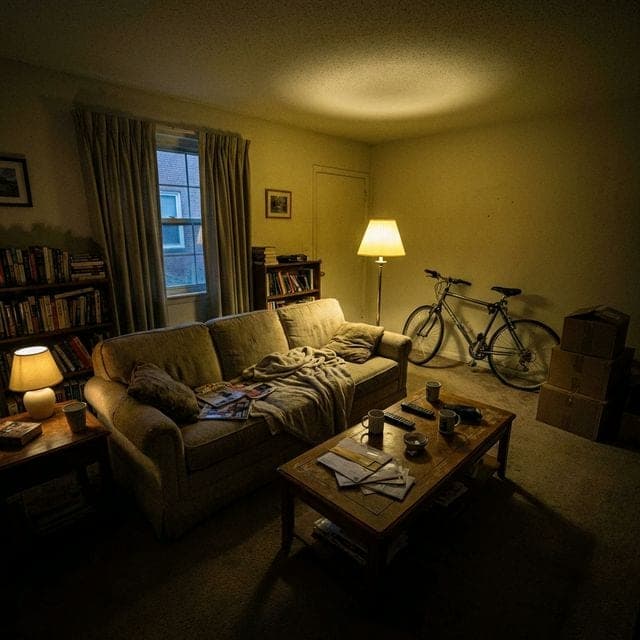
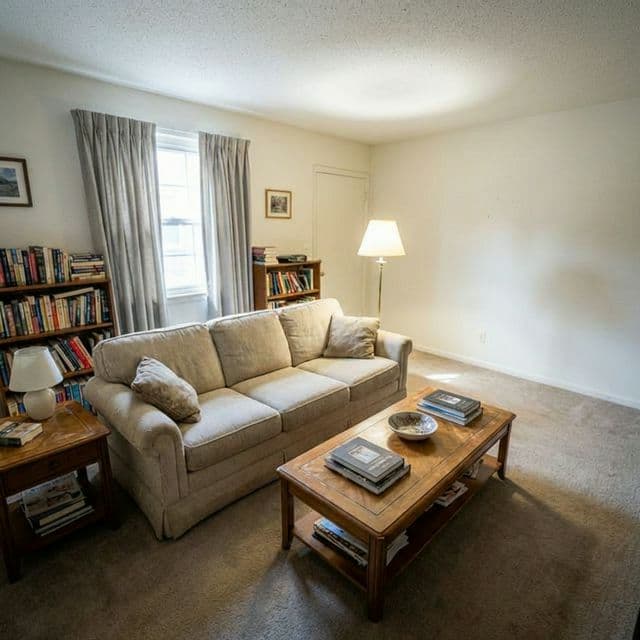
On the property page, switch to edit mode, open a photo and press Enhance with AI. It clears clutter, evens out the light and tidies surfaces. It never changes walls, floors, doors or large furniture, never hides damage and never adds anything.
- 5Step 5
Compare, then decide#
It takes 30 to 60 seconds. Drag the slider to compare the original with the enhanced photo, ask for another change, then Use photo to replace it in the gallery or Keep original. Each photo can be enhanced up to three times, and there is a monthly allowance per person and per agency.




Related guides
Still stuck?
Write to support@shpia.org or call us — we usually answer within two hours on working days.